

NRS
Retail tools for convenience, grocery and fuel businesses.
Find a setup that fits your store and fuel workflow.
Talk through your optionsA gas station review should begin by identifying the systems already controlling the business. List the retail register, forecourt equipment, payment applications and any software that exchanges information between them. Explain which part of the operation you want to improve. A proposal for store checkout does not automatically include integration with pumps or an existing fuel management arrangement.
Ask the relevant providers to confirm exact model and software compatibility. Write down who owns each connection and who will support it. Avoid treating a general reference to fuel businesses as proof of a working integration. A clear boundary between the retail scope and specialized systems makes the quotation easier to assess and the installation responsibilities easier to understand.
The store side of a fuel business may need ordinary item records, barcode scanning and receipt handling. Prepare examples involving popular products, different package sizes and a price correction. Ask how those tasks are represented in the proposed software and which records the owner can review afterward. Check any specialized peripheral by exact model rather than appearance.
Map the counter layout around the actual customer handoff. Consider bags, receipt access, staff movement and payment screen reach. Review cable routing and space for existing equipment. If the plan keeps part of the current counter setup, include its connections and configuration in the trial so the proposal is tested as a whole.
Discuss the full business activity with the processor, including any specialist products sold in the shop. Ask which payment methods are approved for the selected configuration and how the relevant records are reconciled. Equipment selection alone does not guarantee processing approval or settlement timing. Keep written terms available to the person responsible for the account.
At shift handoff, staff need a clear routine for identifying unfinished tasks and locating transaction records. Demonstrate a correction, a refund and a payment that needs investigation. Confirm which provider handles a forecourt question, which supports retail software and which handles settlement. These may be separate responsibilities even when several tools share a counter.
Choose the scope of a trial and the conditions for a successful change. Back up important retail item data and preserve the configuration information needed by existing providers. Agree on when the new system becomes the working record for store sales and how staff should respond if a planned connection is unavailable.
Review hardware obligations, software charges, processing fees and cancellation conditions together. Include any adapters, peripheral replacements or specialist integration work that the confirmed scope requires. Before relying on the new arrangement, test the actual retail workflow and every separately approved connection. A careful fuel business review replaces broad assumptions with a documented list of systems, responsibilities and tasks that have been demonstrated.
These are starting points for a configuration review. Confirm your software, payment approval and accessory compatibility before choosing equipment.
Retail tools for convenience, grocery and fuel businesses.
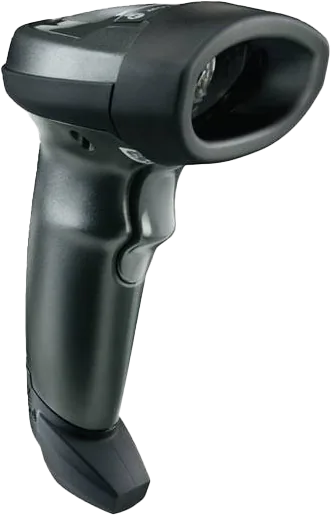
Scanners, printers and the extras that complete your POS.
Review your daily workflow
Confirm software and processor compatibility
Prepare data and staff access
Test before serving customers
Compare the configuration, ongoing costs and agreement before making your choice.
Share your workflow and the questions you want answered. Request a POS quote or a free review of your processing statement.