

Clover
A connected POS with a broad software ecosystem.
Take a practical checkout setup on the road.
Talk through your optionsAn event or popup checkout starts with the conditions at the place where you will trade. Review available power, connectivity, counter space and customer flow. Ask the organizer which arrangements are provided and which remain your responsibility. A portable terminal can be useful, but its suitability depends on the exact payment application, connection options and operating environment.
Prepare a short description of where sales will happen and how equipment will move between locations. Ask the provider to confirm support for that business model and device configuration. Do not assume that a setup used at a permanent shop will behave the same way at a temporary venue with different network conditions.
Where possible, check connectivity in the actual sales area rather than elsewhere in the building. Review what staff should do if the connection changes during a transaction. Confirm how to identify an approved payment and when another attempt is appropriate. Never treat an interrupted processing screen as evidence that money has been collected.
Plan charging and safe storage for each device. Establish who checks equipment before opening, where chargers remain during trading and who accounts for the devices at the end. If a receipt printer or other accessory is required, include its power and connection needs in the same plan instead of testing only the terminal.
Choose clear names for the products or services sold at the event. Review price entry, adjustments and the supported receipt options in the proposed software. If several people take payments, assign access that matches their roles and practice the handoff between staff. A brief rehearsal can reveal an unclear menu choice before a queue makes the problem harder to resolve.
Ask how records from the venue will be reviewed afterward and how the business will identify a customer question about a particular sale. Confirm any connection to existing inventory or business software explicitly. A claim that a device is portable does not establish that event sales will automatically synchronize with another application.
Explain your expected activity and sales channels during the processing review. Ask about the account obligations and recurring costs that continue when an event has ended. Equipment offers, software charges and cancellation conditions should be compared with the expected use, rather than evaluated only against one busy day of sales.
Before relying on the setup, test a sale, a cancellation, a refund and the end of day review in the approved configuration. Keep support contacts and a written response plan available to the team. A practical event checkout combines a suitable device with tested venue conditions, clear staff responsibilities and an understandable record of what happened after the customers have left.
These are starting points for a configuration review. Confirm your software, payment approval and accessory compatibility before choosing equipment.
A connected POS with a broad software ecosystem.
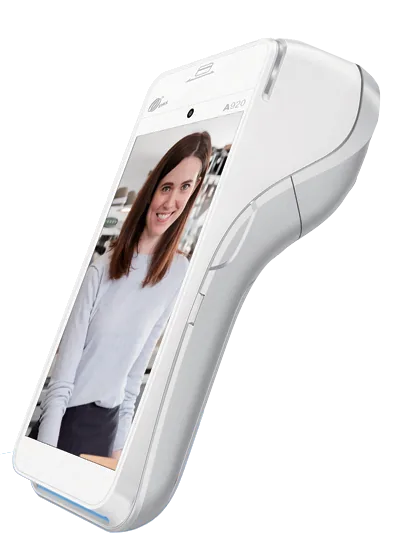
Flexible payment terminals for the counter and beyond.
Review your daily workflow
Confirm software and processor compatibility
Prepare data and staff access
Test before serving customers
Compare the configuration, ongoing costs and agreement before making your choice.
Share your workflow and the questions you want answered. Request a POS quote or a free review of your processing statement.