

Clover
Clover Benefits Duo
Connect payments, stock tracking and sales reporting across your store and online sales.
$150
Final pricing and eligibility are confirmed in your written quote before activation.
A connected POS with a broad software ecosystem.
Talk through your optionsA useful Clover demonstration begins before a card reaches the reader. Describe how a customer books, orders or chooses an item, who enters the sale and what information must remain available afterward. A salon may care about service selection and tips. A restaurant may need modifiers and an order handoff. A shop may need item variants and an understandable return process. Those are different workflows, even when the payment step looks similar.
Bring a short list of ordinary transactions and a few awkward examples. Ask the proposed software provider to show a correction, a cancellation and a refund. Confirm whether each task uses the standard software, an additional app or another subscription. A broad ecosystem is useful when its parts solve a defined problem. It is less useful when staff must move between tools that do not share the information they need.
Compare a fixed counter with a handheld workflow using your actual floor plan. Think about where customers wait, how staff reach a printer and which areas have reliable connectivity. Keep equipment away from spills and leave room for cables, charging and routine cleaning. Review accessibility at the counter as part of the layout rather than treating it as a final adjustment.
A photo can help you recognize a device family, but it cannot confirm the configuration in a quote. Request the exact model, included accessories and software plan in writing. Ask which connections your existing printer, scanner or drawer needs. If a current accessory cannot be supported, include its replacement in the comparison before agreeing to a hardware arrangement.
Start with the functions that are essential on opening day. Separate those from conveniences that can wait. For each proposed app, ask who supplies support, how it is billed and whether important records can be exported. Review who can see customer details and which staff members may change settings. An owner should understand both the daily experience and the administrative responsibilities.
Use the same sample transactions when comparing software choices. Check whether reports answer your real questions about sales, shifts or stock. Confirm how any existing booking or ordering service will connect. An integration should be demonstrated for the selected setup rather than inferred from a similar business or a familiar product name.
Ask for a written view of hardware obligations, software charges, app subscriptions, processing terms and support contacts. Clarify what happens if you change software, replace a damaged device or close the account. Hardware options with pricing confirmed in your written quote. Review eligibility conditions and ongoing commitments together.
Before launch, schedule time for staff practice and payment checks. Keep a copy of your original item or service records and agree on the point at which the new system becomes the working record. A careful choice gives your team a repeatable routine, not simply another screen at the counter.
Start with the jobs your team handles every day. Clover offers a connected ecosystem for sales and business tools, with device and software choices that need to be reviewed together. A useful demonstration follows an actual customer visit, including adjustments, receipts and the reporting you need afterward.
Features depend on the selected hardware, software, processor and agreement. Confirm the exact configuration in your written quote.
Service, food and growing retail
Clover
Connect payments, stock tracking and sales reporting across your store and online sales.
$150
Final pricing and eligibility are confirmed in your written quote before activation.

Clover
Bring card payments, a touchscreen and thermal receipt printing together in a compact terminal.
$60
Final pricing and eligibility are confirmed in your written quote before activation.

Clover
Take payments where the customer is with a portable touchscreen device and integrated receipt printer.
$60
Final pricing and eligibility are confirmed in your written quote before activation.

Clover
Combine mobile payments with cloud access to sales and inventory in a compact handheld format.
$60
Final pricing and eligibility are confirmed in your written quote before activation.

Clover
Pair a Bluetooth card reader with your mobile device for card payments and digital receipts.
$50
Final pricing and eligibility are confirmed in your written quote before activation.
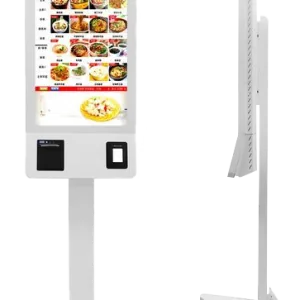
Clover
Give customers separate ordering and payment screens with integrated thermal receipt printing.
$400
Final pricing and eligibility are confirmed in your written quote before activation.

Clover
Keep kitchen teams informed with live order updates and preparation performance tracking.
$75
Final pricing and eligibility are confirmed in your written quote before activation.

Clover
Bring staff and customer displays together with an adaptable interface and integrated card acceptance.
$75
Final pricing and eligibility are confirmed in your written quote before activation.

Clover
Manage checkout, stock and sales reporting with a touchscreen station, receipt printer and cash drawer.
$120
Final pricing and eligibility are confirmed in your written quote before activation.
Compare the configuration, ongoing costs and agreement before making your choice.
Share your workflow and the questions you want answered. Request a POS quote or a free review of your processing statement.